Your Intuit QuickBooks Success Partner
Minding My Books
☰
×
  • + QuickBooks Enterprise
    • See Full Features
    • Buy Now Online
    • Advanced Inventory
    • Advanced Pricing
    • Cloud Hosting
    • Get Paid Faster
    • Industry Solutions
    • Book A Discovery Call
  • + QuickBooks Services
    • QuickBooks Consulting Services
    • QuickBooks Setup and Integration
    • QuickBooks Data Migration
    • QuickBooks Third-Party Solutions
    • Switch from Online to Desktop
    • QuickBooks Training
    • QuickBooks Support for Canada
  • Pricing
  • Blog
  • Contact Us
  • Shopping Cart
  • Checkout
Book A Discovery Call (0)
  • Blog

Blog: QuickBooks Resource Centre

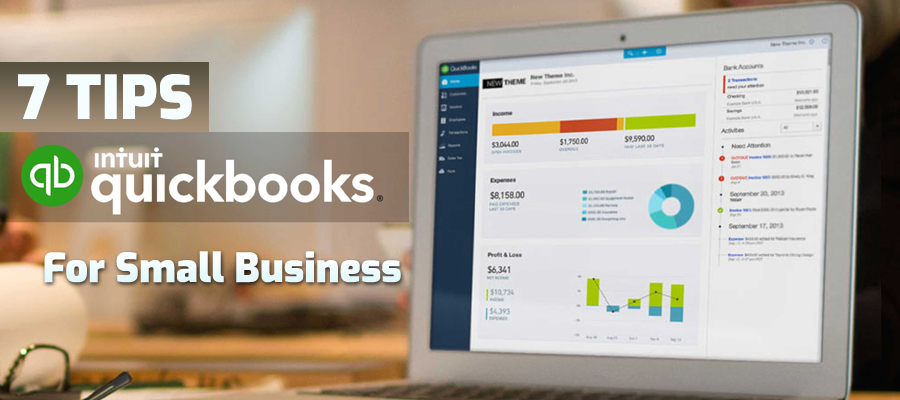
Top 7 QuickBooks Canada Tips for Small Business Owners to Save Time and Avoid Mistakes
Raeann Salter
April 30, 2025

Top 7 QuickBooks Canada Tips for Small Business Owners to Save Time and Avoid Mistakes

Managing finances can be overwhelming for Canadian small business owners—but with the right guidance, QuickBooks can make it much easier. Whether you're just getting started or already using the latest version, these expert QuickBooks Canada tips from Minding My Books CA are designed to help you save time, reduce costly errors, and stay compliant with Canadian tax regulations. Let’s explore practical ways to get the most out of QuickBooks and keep your business finances on track.

QuickBooks Canada is more than just accounting software—it helps small business owners create invoices, track cash flow, accept payments, monitor sales trends, and plan for the future with confidence. Before diving into these time-saving tips, make sure you're using the right version of QuickBooks designed specifically for small businesses in Canada.

Time-Saving QuickBooks Canada Tips: Every Small Business Owner Should Know

Whether you're new to QuickBooks or looking for ways to optimize your current setup, these QuickBooks Canada tips are designed to help you streamline your processes. From customizing your settings to automating tasks, these tips will save you time, reduce errors, and ensure your business stays on top of its financial game.

1. Use Bank Feeds Wisely (and Reconcile Monthly)

Bank feeds in QuickBooks Canada can save you a significant amount of time by automatically importing transactions from your business bank accounts and credit cards. However, it's crucial to reconcile your accounts at the end of each month to ensure accuracy and catch any discrepancies.

  • Set up automatic imports to reduce manual data entry and keep your accounts up-to-date.
  • Regular reconciliation helps to identify errors, duplicates, or even fraudulent transactions early.
  • If you're unsure about the reconciliation process, consulting with a QuickBooks Canada accountant or ProAdvisor can make it easier.

2. Set Up GST/HST Correctly for CRA Compliance

Incorrectly setting up your GST/HST taxes can lead to compliance issues with the Canada Revenue Agency (CRA). Properly configuring your GST/HST settings ensures that you file accurate tax returns and avoid potential fines.

  • Make sure to configure the correct tax rates based on your province's requirements.
  • Assign the right tax codes to your products or services to ensure proper tax calculations.
  • Once set up correctly, QuickBooks Canada will automatically apply the appropriate tax rates to your transactions, making tax season much smoother.

3. Automate Recurring Invoices and Bills

Recurring invoices and bills are a great way to save time and reduce errors in your bookkeeping. If you regularly invoice clients or pay vendors on the same schedule, setting up recurring transactions in QuickBooks Canada can simplify the process.

  • Create recurring invoice templates to bill clients automatically on a set schedule, ensuring consistent cash flow.
  • Set up recurring bills to automatically track payments to vendors, making your expense management more efficient.
  • Automating these processes eliminates the risk of forgetting a transaction and helps you stay organized.

4. Customize Reports for Better Decision Making

QuickBooks Canada offers generic reports that can give you a basic overview of your business finances. However, customizing your reports allows you to focus on the specific data that matters most to your business decisions.

  • Tailor reports like Profit & Loss, Balance Sheet, and Cash Flow by date range, customer, or project to get more relevant insights.
  • Customized reports help you analyze business performance in greater detail, providing a clearer view of where you can improve.
  • Use these reports to identify trends and make data-driven decisions for growth and profitability.

5. Track Business vs Personal Expenses Separately

Mixing personal and business expenses can create confusion and lead to issues during tax filing or audits. It’s essential to keep your business and personal finances separate to stay organized and compliant.

  • Use QuickBooks to categorize your expenses clearly by business-related transactions.
  • Avoid using personal accounts for business purchases and vice versa to ensure accurate financial reporting.
  • If you’re unsure about categorizing certain expenses, a QuickBooks Canada ProAdvisor can help guide you through the process.

6. Use Projects or Classes to Track Profitability by Segment

If your business offers multiple services, manages several clients, or operates in different locations, you can use QuickBooks Canada’s Projects or Classes feature to track income and expenses by specific segments.

  • Set up Projects to track revenue and costs for individual jobs or clients.
  • Use Classes to categorize transactions by department, service, or location for better financial oversight.
  • These tools help you analyze profitability for each segment, enabling you to make more strategic decisions about where to allocate resources.

7. Backup and Review Your Data Regularly

Protecting your financial data is essential to avoid potential loss or corruption. QuickBooks Canada offers cloud backup options to ensure your data is secure, but it’s still important to review your data regularly for accuracy.

  • Set up automatic cloud backups to ensure your data is safely stored off-site.
  • Schedule periodic data reviews to check for errors or discrepancies in your financial records.
  • If any issues arise, QuickBooks Canada tech support is available to assist with restoring or troubleshooting your data.

Need help optimizing your QuickBooks setup?

At Minding My Books, our Canadian QuickBooks experts offer personalized advice, setup support, and monthly check-ins to keep your books accurate and CRA-compliant. Whether you're on a QuickBooks Canada trial, need help choosing QuickBooks Canada pricing options, or are exploring how to use QuickBooks Canada more efficiently, we're here to help.

Looking for QuickBooks Canada learning resources or one-on-one help from a QuickBooks Canada ProAdvisor? Contact us today to get started!

About The Author

Raeann Salter - QuickBooks Advanced ProAdvisor

Raeann Salter is a QuickBooks Advanced ProAdvisor and Consultant at Minding My Books, a trusted Intuit QuickBooks Solution Provider that has served over 1,000 companies. She helps businesses across Canada with QuickBooks Enterprise solutions, consulting, training, setup, integration, and migration support, delivering practical guidance and technology solutions to streamline accounting operations.

With over 20 years of business experience, Raeann specializes in supporting businesses across retail, manufacturing, wholesale, and franchise industries. Her expertise helps Canadian businesses improve financial management, increase profitability, and make informed, data-driven decisions through effective use of QuickBooks.

Request A Consultation

Recommended for you

QuickBooks Enterprise Landed Cost in Canada: Inventory Costing Guide

QuickBooks Enterprise Landed Cost in Canada: Inventory Costing Guide

October 30, 2026
QuickBooks Canada Audit Trail Review: A Practical Guide to Transaction Controls

QuickBooks Canada Audit Trail Review: A Practical Guide to Transaction Controls

October 20, 2026
QuickBooks Canada Purchase Order Management: From Ordering to Receiving

QuickBooks Canada Purchase Order Management: From Ordering to Receiving

October 10, 2026
QuickBooks Canada GST/HST Input Tax Credits: How to Claim and Record ITCs

QuickBooks Canada GST/HST Input Tax Credits: How to Claim and Record ITCs

September 30, 2026
QuickBooks Canada Payroll Year-End: How to Handle T4, T4A & Reconciliation

QuickBooks Canada Payroll Year-End: How to Handle T4, T4A & Reconciliation

September 20, 2026
QuickBooks Canada Cash vs. Accrual Accounting: Which one is Right for you

QuickBooks Canada Cash vs. Accrual Accounting: Which one is Right for you

September 10, 2026
QuickBooks Canada General Ledger Guide for Accurate Accounting Records

QuickBooks Canada General Ledger Guide for Accurate Accounting Records

August 30, 2026
QuickBooks Canada Departmental Accounting Guide for Better Financial Control

QuickBooks Canada Departmental Accounting Guide for Better Financial Control

August 20, 2026
QuickBooks Canada Cost Accounting Guide for Better Business Decisions

QuickBooks Canada Cost Accounting Guide for Better Business Decisions

August 10, 2026
QuickBooks Canada Budget vs Actual Reporting for Better Financial Control

QuickBooks Canada Budget vs Actual Reporting for Better Financial Control

July 30, 2026

QuickBooks Enterprise

  • Explore All Features
  • Customize Your Solution
  • Quickbooks Cloud Access
  • Quickbooks Advanced Inventory
  • Quickbooks Advanced Pricing
  • Quickbooks Advanced Reporting

Point of Sale (POS)

  • Shopify POS Overview
  • Shopify POS Vs Lightspeed POS
  • Shopify POS Vs QuickBooks POS
  • Shopify POS Vs Square POS
  • Shopify POS Vs Vend
  • Shopify POS Vs Clover POS

Industry Solutions

  • Overview
  • Contractor Accounting
  • Manufacturing & Wholesale
  • Nonprofit Accounting
  • Retail Accounting
  • Sales Tax Tracking

Resources

  • Free Consultations
  • Installation and Setup
  • Blog / Articles
  • FAQs
  • Payments: Get Paid Faster
  • Quickbooks Canada VS USA
Sitemap Raeann Salter
Minding My Books Payment Options
  • QuickBooks Canada Select Country
    • QuickBooks USA USA
    • QuickBooks Canada Canada
LinkedIn YouTube Share on Facebook Share on Twitter Share on LinkedIn Share on WhatsApp
Minding My Books

© 2026 Minding My Books.
All rights reserved.

Minding My Books is a trusted Intuit QuickBooks Solution Provider, successfully serving over 1,000 companies. We offer dedicated remote QuickBooks Enterprise solutions, consulting, training, setup, integration, and migration support for businesses across Canada.

Developed & Maintained by Artless Technology

TRUSTe

Why Consult With Minding My Books?

Get expert QuickBooks Enterprise support, customized setup, and cost-effective solutions tailored to Canadian businesses.

  • 20+ Years of Experience
  • 2022 Top Enterprise Award
  • QuickBooks Advanced ProAdvisor
  • 1,000+ Companies Served
  • Customized GST/HST/PST setup
  • Secure Data migration with file check
  • Preferred Partner Pricing - 20% Off
Book a Free 30-Min Discovery Call

Get Your Custom QuickBooks Quote

Not sure if Enterprise is right for you? Tell us about your business, whether you're moving from Pro/Premier, comparing QuickBooks Online, or starting from scratch, and we'll recommend the right solution.

Thank you!

Your request has been submitted successfully.

Our Canadian QuickBooks team will review your details and contact you within 1 business day.

Want to talk sooner? Book 30-Min Free Discovery Call to discuss your QuickBooks needs and find the right solution.


Minding My Books

Your QuickBooks Success Partner.